Microsoft 365 Outage 2026 Explained: How Health Checks Can Spread a Failure
Microsoft has not named a root cause yet. The mechanism experts suspect is a safety system that spreads a small fault, and it has a precedent.

In this story 6 sections
The November 2026 Microsoft 365 outage appears to have spread through automated health checks, though Microsoft had not named a root cause in reporting through November 13. A health check pulls servers it believes are unwell out of service. If too many are pulled at once, the remaining servers overload and fail too.
Outages make for loud headlines and thin explanations. This piece sorts what is known about the Microsoft 365 failure from what is guesswork, then explains the mechanism that experts suspect, using a well-documented 2025 cloud failure as a comparison. It is written for anyone who lost a morning to a blank inbox and wants to know how one fault can reach so far.
Oddworldz keeps a simple rule for stories like this one: separate the confirmed facts from the plausible theories, and label each one. Everything below is based on public reporting and published incident reports, not inside knowledge of Microsoft's systems.
What Happened in the Microsoft 365 Outage?
The outage began on Thursday evening, November 12, 2026, and hit Outlook, Teams and Copilot first. Euronews reported that Microsoft's fixes had not solved the problem by Friday, and that the list of affected services grew to include SharePoint Online and Defender XDR.

The scale is hard to pin down. Downdetector, a site that tracks outages through user reports, logged nearly 140,000 problem reports for Outlook alone. Those numbers measure people who bothered to complain, not everyone affected. Microsoft says more than 430 million people use its 365 apps.
The knock-on effects reached well past email. Several UK GP practices told patients to phone with urgent queries. The Singaporean government and Australia's intelligence agency reported problems. OpenAI and Anthropic said the tools that link their AI services to Microsoft 365 were disrupted. One US company postponed an earnings call. An analyst quoted in the coverage said many firms had effectively lost a business day.
Microsoft's own explanation shifted as the hours passed. It first blamed elevated load, meaning more strain than usual. It then clarified that user traffic had not surged. Instead, a large number of servers had become unexpectedly unavailable, which pushed their work onto the machines that remained.
What Is a Health Check, and Why Do Servers Need One?
A health check is a small automated test that asks a server, again and again, whether it can still do its job. If the server answers correctly, it keeps receiving traffic. If it fails, a load balancer stops sending it requests. A load balancer is the traffic director that spreads incoming work across many servers.
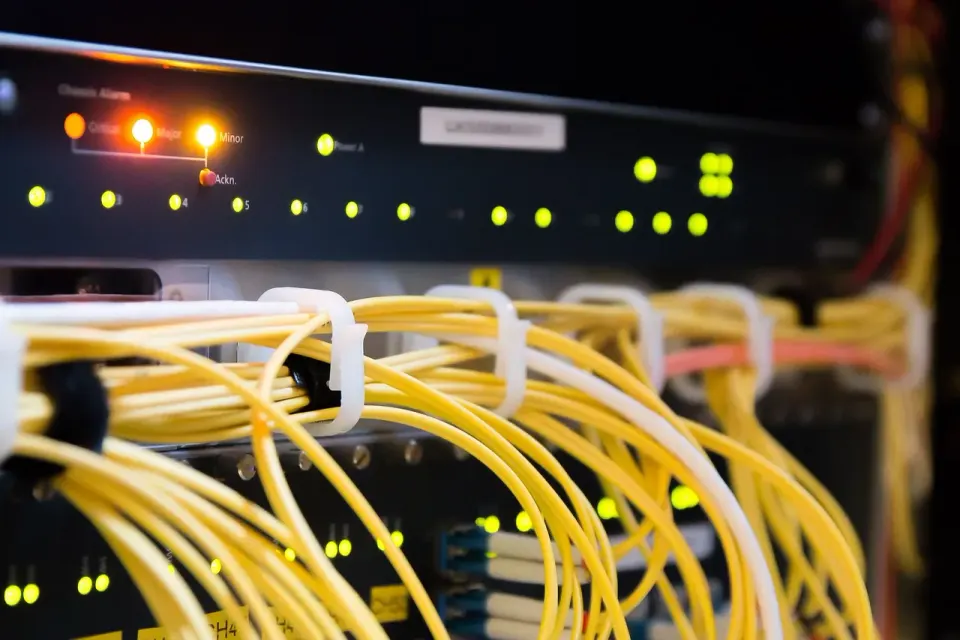
The system exists for good reasons. Without health checks, a broken server would keep taking requests and failing them. Users would see random errors, and an engineer would have to spot the bad machine by hand. At the scale of a cloud provider, that is impossible. Automation has to do it.
Health checks work well when failures are rare and independent. One server fails, the check removes it, and 99 others cover for it. The design quietly assumes that most machines stay healthy. That assumption is the weak spot, and it is where this story gets interesting.
How Can a Safety System Spread a Failure?
A safety system spreads a failure when it removes too much capacity at once. If a bad update or setting makes many healthy servers fail their checks together, they all drop out together. The survivors inherit the full load, slow down, fail their own checks, and drop out too. Each removal makes the next one more likely.

Engineers call this a cascading failure. The name fits the picture of dominoes, where the first push is small and the last fall is huge. Microsoft said it was testing a configuration change to fix a problem that was causing servers to fail the checks and drop out of service. Mahmoud Elkhodr, a senior lecturer at CQUniversity in Australia, offered an explanation in The Conversation. If the checking system itself goes wrong, he wrote, it can switch off healthy servers and overload the rest. Elkhodr stressed that this was only an inference from Microsoft's public updates.
The best-documented example is the Amazon Web Services failure of October 2025. According to AWS's own post-event summary, the trigger was a latent race condition in an automated DNS system that left a database service with an empty address record. That is a timing bug, where two automated processes step on each other. Hours later, health check failures in the company's Network Load Balancer fleet caused a second wave of connection errors, from 5:30 AM to 2:09 PM Pacific time.
The lesson from that report is plain. Fixing the first fault did not end the outage, because recovery systems had their own problems. A service can survive its initial failure and still struggle to climb back. Microsoft's case may or may not follow the same pattern, and nobody outside the company can say yet.
Automation that runs unattended appears across the web, not only in clouds. Even the renewal of site security certificates is moving toward machines, now that website certificates expire every 200 days. Automation saves effort every day and raises the stakes on the one day it misfires.
Was the Microsoft Outage a Cyberattack?
Nothing public points to an attack. Microsoft said it was not aware of any malicious activity, and executive vice-president Charles Lamanna said the outage did not appear to be a cyberattack. No group has claimed responsibility. Rumors of hacking spread on social media anyway, because there was no confirmed cause for a long stretch.
The traffic pattern argues against the most common attack type. A distributed denial-of-service attack floods a system with outside traffic. Microsoft said traffic had not increased, which does not match that picture. Our explainer on how DDoS attacks work covers what a flood looks like from the inside.
Here is a short sorting of the claims, kept in one place for clarity:
- Known: services failed, and Microsoft said many servers became unavailable.
- Known: Microsoft said it saw no malicious activity.
- Suspected: faulty health checks removed healthy servers. This is an outside inference.
- Unconfirmed: a hack, an AI fault or a data leak. Nothing public supports any of them.
An outage is a problem of access, not theft. Being unable to reach your files does not mean anyone else has seen them. Euronews noted that nothing Microsoft has said suggests customer data was exposed or lost.
The fallout is not only about email. AI assistants that plug into workplace apps inherit those apps' failures, as the OpenAI and Anthropic disruptions showed. That dependency may deepen if sites start handing agents a menu of tools, a trend covered in our piece on WebMCP and AI agents.
What Should You Do After a Big Outage?
Check that anything important sent during the outage actually arrived, and ignore messages that tell you to log in to fix it. Scammers use big outages as cover. Open the provider's official status page by typing the address yourself, and wait for the final incident report before trusting any theory.

The Federal Trade Commission (FTC) describes the pattern in its public phishing guidance. Scam messages often claim there is a problem with your account, then ask you to click a link to confirm information you do not need to confirm. An "outage notification" asking you to sign in again fits that pattern exactly.
The Cybersecurity and Infrastructure Security Agency (CISA) offers similar advice on its page on recognizing and reporting phishing. It notes that phishing messages are often designed to look like they come from a trusted person or organization, and that they can arrive as email, text, social media message or phone call.
A few habits help during any outage:
- Go to the provider's status page by typing its address, not by following a link.
- Do not enter a password on a page you reached from an "outage alert."
- Resend any urgent message through a second channel, such as a phone call.
- Keep key contacts and documents available offline.
The last habit comes from the experts quoted in the coverage. Elkhodr argued that organizations should plan for digital outages the way they plan for natural disasters. That means backups that are tested regularly, not plans that sit in a drawer. Individuals can apply the same idea at small scale.
The Bigger Lesson From the Microsoft 365 Outage
Outages like this one are rarely about one broken part. They are about how parts react to each other when something goes wrong. A health check meant to protect users can become the thing that hurts them, if its judgment is wrong at scale.
As of November 13, 2026, the full answer was still pending, and Microsoft had promised more updates through its status page. At Oddworldz, our advice is to hold the neat theories loosely until the final incident report arrives. Expect the real cause to be messier than any headline, and expect it to teach something about how the pieces fit together.
What caused the Microsoft 365 outage in November 2026?
What is a health check on a server?
Was the Microsoft outage a cyberattack?
How can I avoid scams after a big outage?
In this story 6 sections
Keep Reading
All stories-
 How Things Work Online
How Passkeys Work: Why Your Phone Can Replace Your Password
8 min read -
 How Things Work Online
Why Your Phone Says "Spam Likely": How Caller ID Authentication Works in 2026
8 min read -
 How Things Work Online
WebMCP Explained: How Websites May Soon Hand AI Agents a Menu of Tools
7 min read
The Odd List · Fridays